Engineering Guides
Bring Grepr into the AI assistant you already use
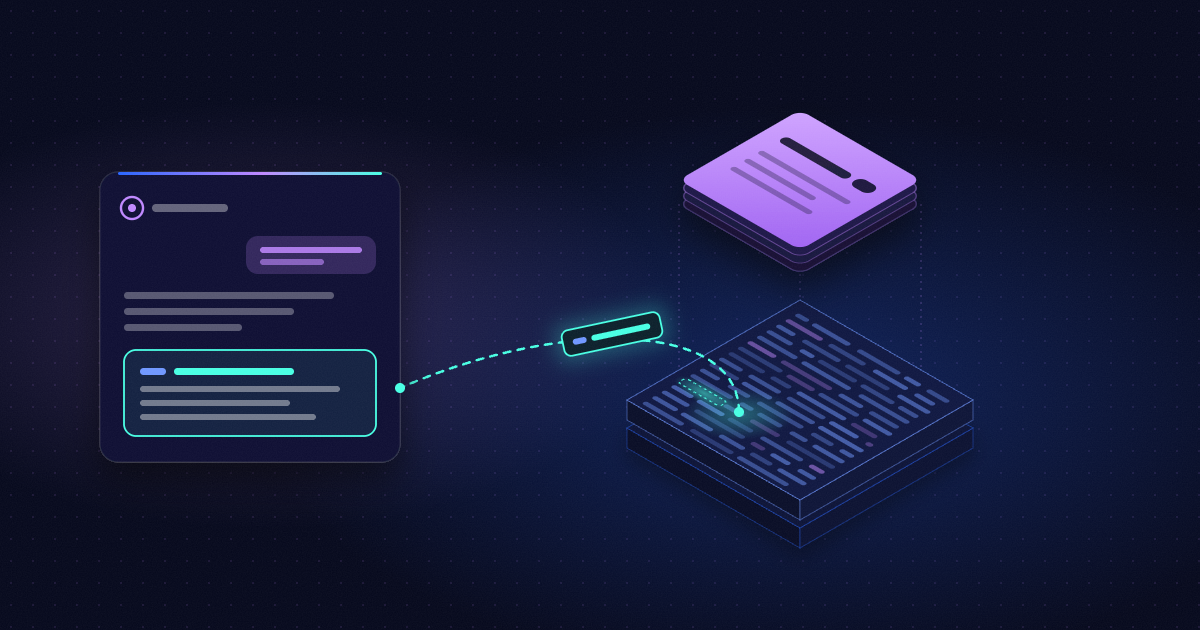


Every observability team makes the same trade-off: send every log to your observability platform and pay for all of it, or drop some and hope no one needs them later. Grepr removes that trade-off. Your platform gets the logs that matter plus summaries of the noisy ones, and the raw logs stay in your data lake, ready when you need them.
The Grepr MCP server and agent plugins make that data lake as easy to reach as a chat. Ask the AI assistant you already use, in plain language:
There are two ways to connect:
Both use the same role-based permissions as the Grepr UI and REST APIs. An agent cannot do anything through them that you could not do yourself.
If you live in a terminal, start with the plugin. If you want Grepr answers in ChatGPT, Cursor, the Claude app, or Slack, add the MCP server. Most teams will want both.
Install the Grepr CLI (Node.js 22, 24, or 26) and save a configuration for your organization. The first command that needs Grepr signs you in with OAuth in your browser, and the CLI caches the token.
npm install -g @grepr/cligrepr --org-name <your-org> config:save prod --defaultThen add the plugin. In Claude Code:/plugin marketplace add grepr/cli/plugin install grepr@grepr-cli
In Codex:
codex plugin marketplace add grepr/cli --ref maincodex plugin add grepr@grepr-cli
Requirements and full steps are in the plugin docs.
A skill packages what an agent needs to know to do one Grepr task well: which commands to run, in what order, and how to read the output. The plugin ships nearly 30 of them, in three groups:
You never pick a skill yourself. The cli skill routes your request to the right one. The query skill also checks which fields a dataset indexes and scopes every search so it reads as little data as possible.
When you need everything a service logged during an incident, ask for it:
Prompt: Backfill the trino service's logs from the last 30 minutes to my observability platform.
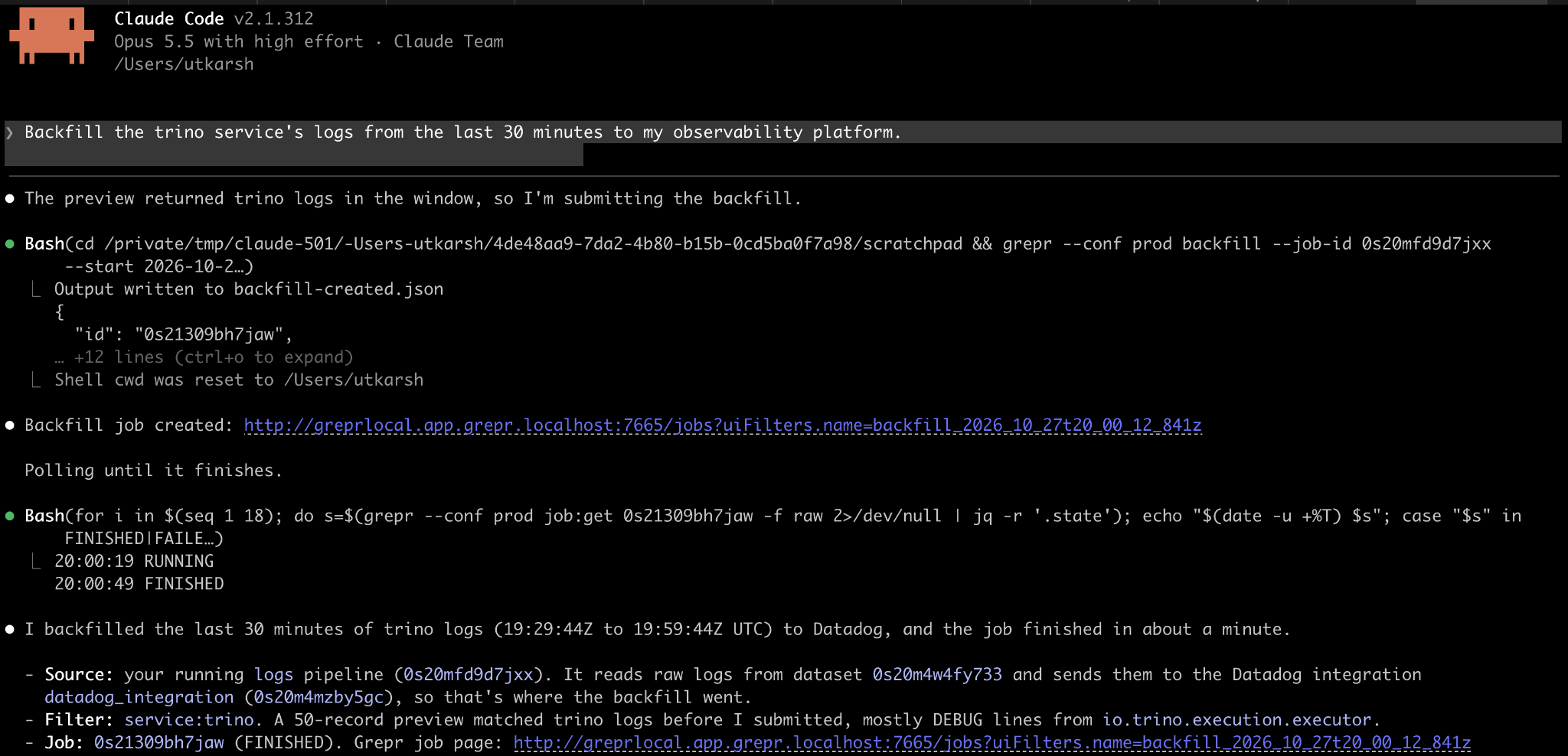
The agent picks the backfill skill. It finds the pipeline that sends your logs to your observability platform (Datadog, in this example), turns "the trino service" into the query service:trino, and works out the time window. Backfills re-ingest logs at your observability platform's cost, so the skill previews the logs that match before it creates the job, stops if nothing matches, and asks you when the pipeline or destination is ambiguous. Backfilled logs carry a grepr.backfilled attribute, so you can tell them apart in Datadog.
You don't need to know which logs Grepr summarized. Ask for a specific log, like the payment timeout for order 8812, and the agent checks Datadog first when it can search it through Datadog's MCP server or CLI. If Datadog has only a summary, such as Repeats 2431x in the past 30.0s: payment authorization timed out for order <any>, the agent reads its Grepr attributes to find the exact pipeline, dataset, and time window, then pulls the matching originals from your data lake. Without Datadog access, it goes straight to the data lake.
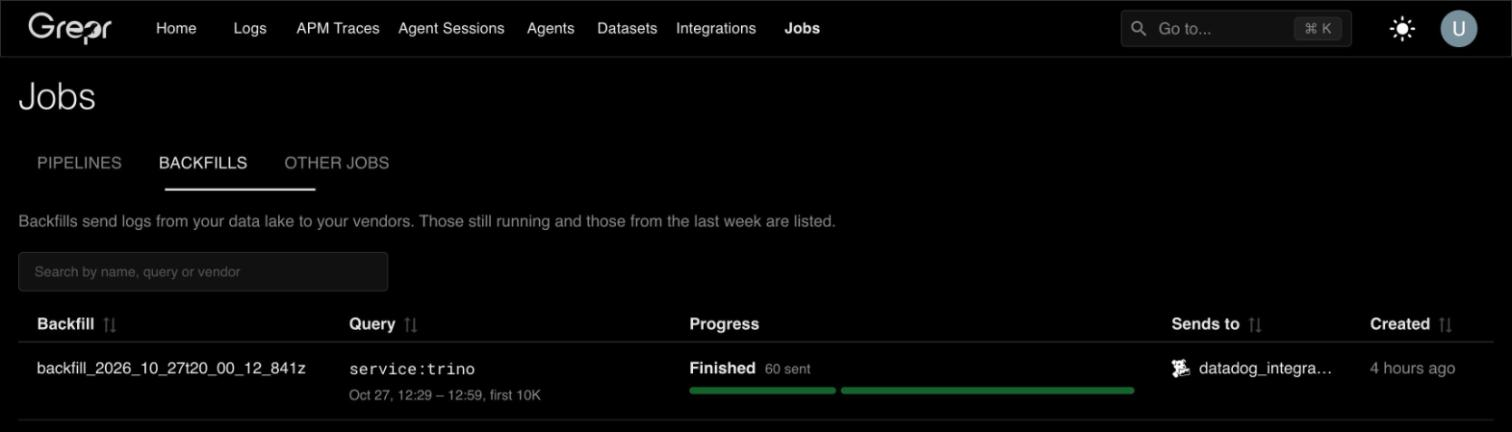
No hunting for the right dataset, no remembering query syntax, and no backfill form to fill in. Datadog is just the example here: recovering and backfilling work the same way for New Relic, Splunk, Sumo Logic, and any OTLP destination.
The workflow skills show you a change before it reaches production. Every change follows the same path:
That approval step is the agent following the skill's instructions, not a lock in the CLI, so read the diff and the draft results before you say yes.
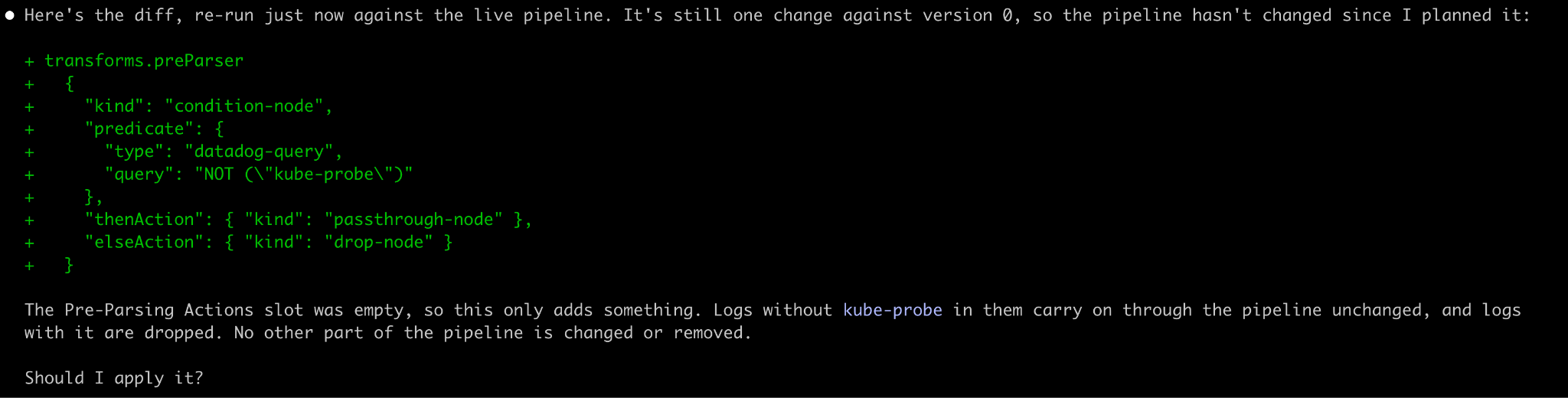
With that loop in place, prompts like these are reasonable to try on a real pipeline:
We walked through these steps for PII in Redact PII from your logs with Grepr, including applying the change through Terraform.
The MCP server lives at https://app.grepr.ai/mcp (US) and https://app.euc1.grepr.ai/mcp (EU). Setup is the endpoint, your assistant's Grepr client ID from the Grepr MCP docs, and a sign-in with your Grepr account, so the assistant acts as you. Slack and generic MCP clients use a service account instead:
Grepr agents investigate new log patterns and work the issue board as signals arrive. With the MCP server connected, you can catch up from Claude, ChatGPT, or Slack without opening Grepr:
Prompt: What did the Grepr agents investigate in the last week? Only include the investigations that needed to take an action. Include the investigation links.
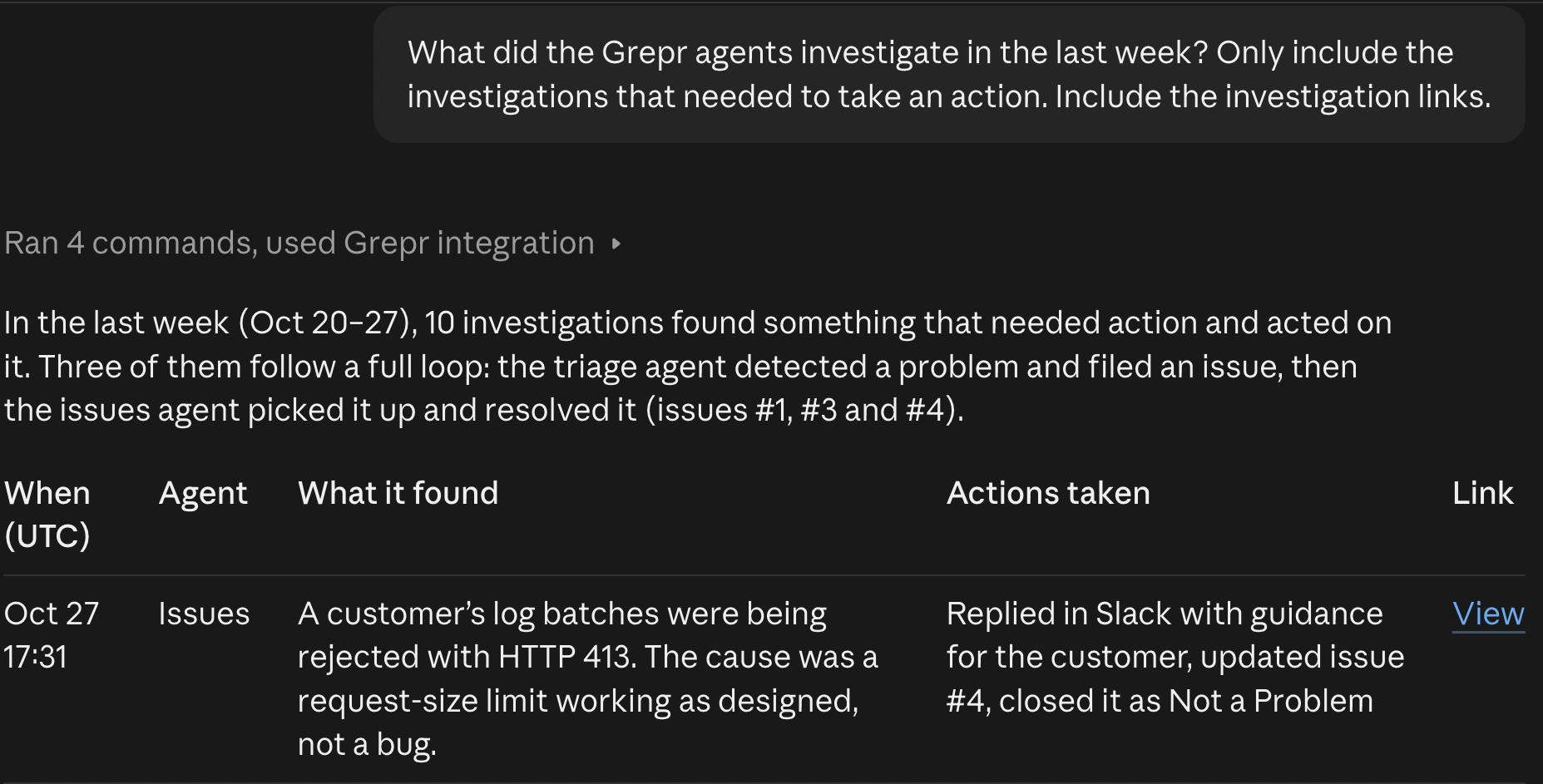
The assistant lists the agents' investigations through the Grepr MCP server, reads each one's summary and the actions it took, and links back to the full investigation in Grepr. From there you can keep going in the same chat: read an investigation's transcript, check whether there's already an issue for it, or search the raw logs it looked at.
The MCP server also serves five Grepr skills as MCP resources: setting up the Grepr CLI, querying logs and spans, writing query predicates, recovering the original logs behind a summary, and backfilling logs to your observability platform. Clients that read resources, such as Claude Code, load one when your request matches it. When your assistant can run shell commands, as Claude Code and Codex can, the skills prefer the Grepr CLI, which writes results to a file instead of the chat, has no page cap, and searches spans too. They ask before installing it.
Install the plugin, add the connector, and ask your agent something about your logs. The setup guides are in the docs: Grepr agent plugins and Grepr MCP server.
New to Grepr? Get started free, or talk to us.
A remote Model Context Protocol server at https://app.grepr.ai/mcp (US) and https://app.euc1.grepr.ai/mcp (EU). It lets AI assistants list your pipelines, datasets, and templates, search raw logs, validate SQL and Grok, read Grepr Agent investigations, work the issue board, and make small, verified pipeline changes, all under your Grepr permissions. It also serves Grepr skills as MCP resources.
The agent plugins work with Claude Code and Codex. The MCP server works with Claude on the web, desktop, and mobile, ChatGPT, Cursor, Codex, Claude Code, Claude in Slack, and any MCP client that can send a bearer token.
Yes, and you don't have to ask for them by name. When your observability platform shows a Grepr summary in place of a log you need, the agent uses the summary to find the originals in your data lake and can backfill them.
Only with your permissions. The plugin's workflow skills draft every change and ask before applying, though that is the skill's instruction, not a lock in the CLI. Over MCP, your assistant can apply a Grok or agent signal filter change as soon as Grepr verifies it, with no draft step, so use your MCP client's tool-approval settings to decide whether it asks you first.
No. Every command and tool call uses the same role-based permissions as the Grepr UI and REST APIs. In Slack, Claude uses the service account you connect, so give it the narrowest role that fits the channel.
Yes. Use https://app.euc1.grepr.ai/mcp and the EU client IDs listed in the docs.