Engineering Guides
Remove Sensitive Data From Your Logs With the SQL Transform


The Grepr Intelligent Observability Data Engine lets you cut observability costs by reducing the volume of log data sent to your monitoring platform, while giving you full control over how that data is shaped. With Grepr’s flexible log processing pipelines, you can use rich tools to process, transform, and enrich raw log events, turning noisy streams into structured, searchable information. This functionality enables you to improve searchability, build reliable datasets for analysis and reporting, and tailor events to meet specific operational and business requirements.
One of the tools available in a Grepr pipeline is the SQL transform, which lets you use the familiar SQL syntax to perform complex transformations on log events. You can include the SQL transform in the pre-parsing, post-parsing, and post-warehouse filter steps of a pipeline.
While personally Identifiable Information (PII), such as credit card numbers, passwords, or user names, should never be written in plain text to logs, coding errors or other issues can lead to PII sometimes finding its way into logs. In this example, a developer, while testing code changes, added DEBUG messages that log the users plain-text password. Unfortunately, an error caused the deployment of a development configuration to one of the production hosts, resulting in the logging of DEBUG messages on that host, including the passwords.
2024-12-26 10:08:41 INFO - Successful login for user 'ivan' from IP 10.0.0.88
2024-12-26 10:09:56 DEBUG - Successful login for user 'julia' password '*9vpkZQq_e' from IP 10.0.2.15
2024-12-26 10:10:14 WARN - Failed login attempt for user 'kevin' from IP 10.0.4.92 account not found
2024-12-26 10:11:28 ERROR - Account 'laura' locked due to multiple failed attempts from IP 10.0.1.56
2024-12-26 10:05:18 DEBUG - Successful login for user 'fiona' password '3aK-DyK_9R' from IP 10.0.0.19
A way to address this issue needs to be implemented quickly while a code fix is in progress. Fortunately, the SQL transform can be used in a Grepr pipeline to remove this sensitive data. To ensure this data is redacted before events are stored or forwarded, the redaction must occur before the data lake step in the pipeline. In this example, we’ll use the post-parsing filter to configure the transform.
To add the SQL transform to a pipeline, in the Grepr UI, go to the details page for your pipeline. Select Post-parsing filter from the left-hand menu, and click the pencil icon to display the filter configuration form.
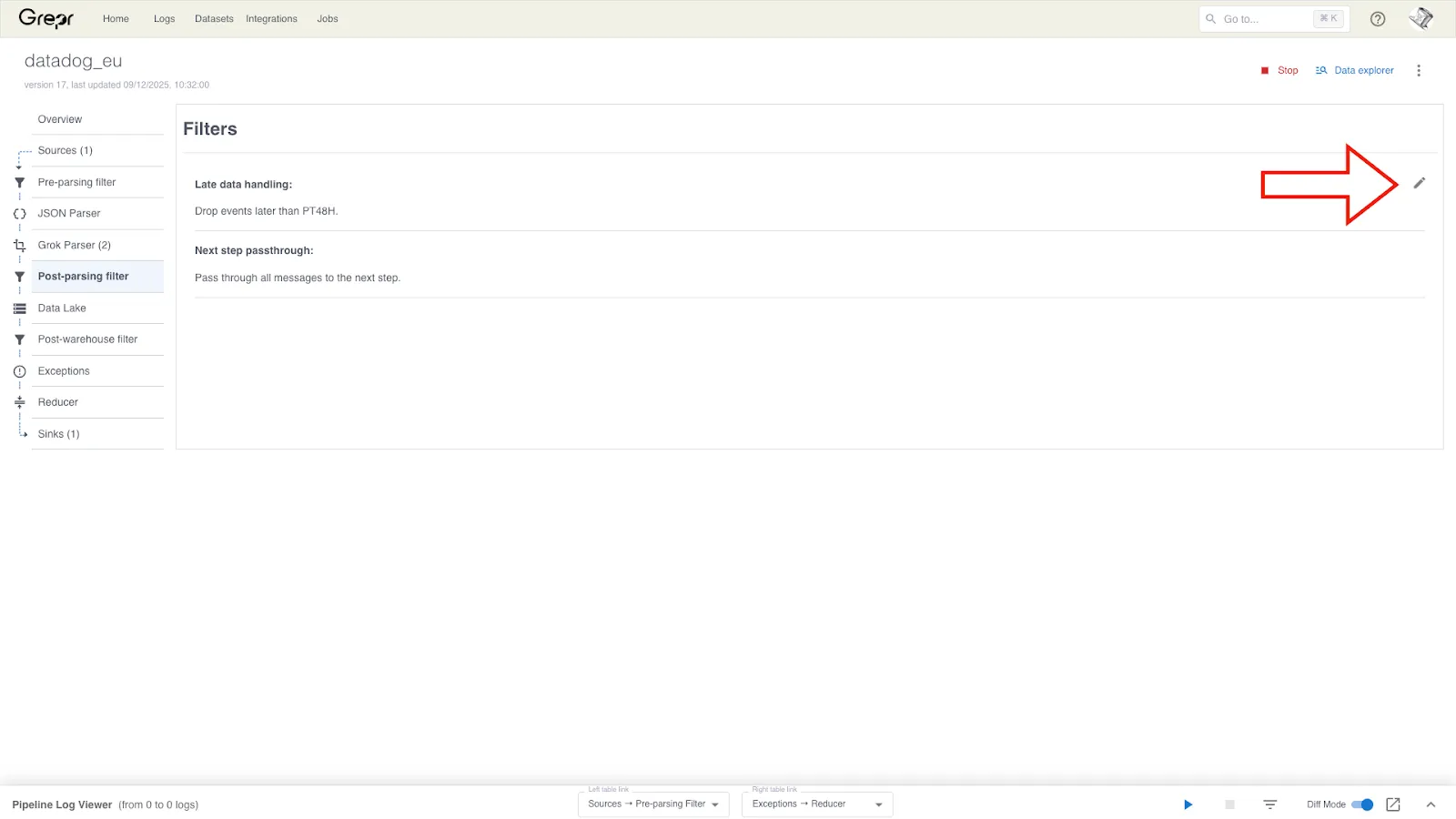
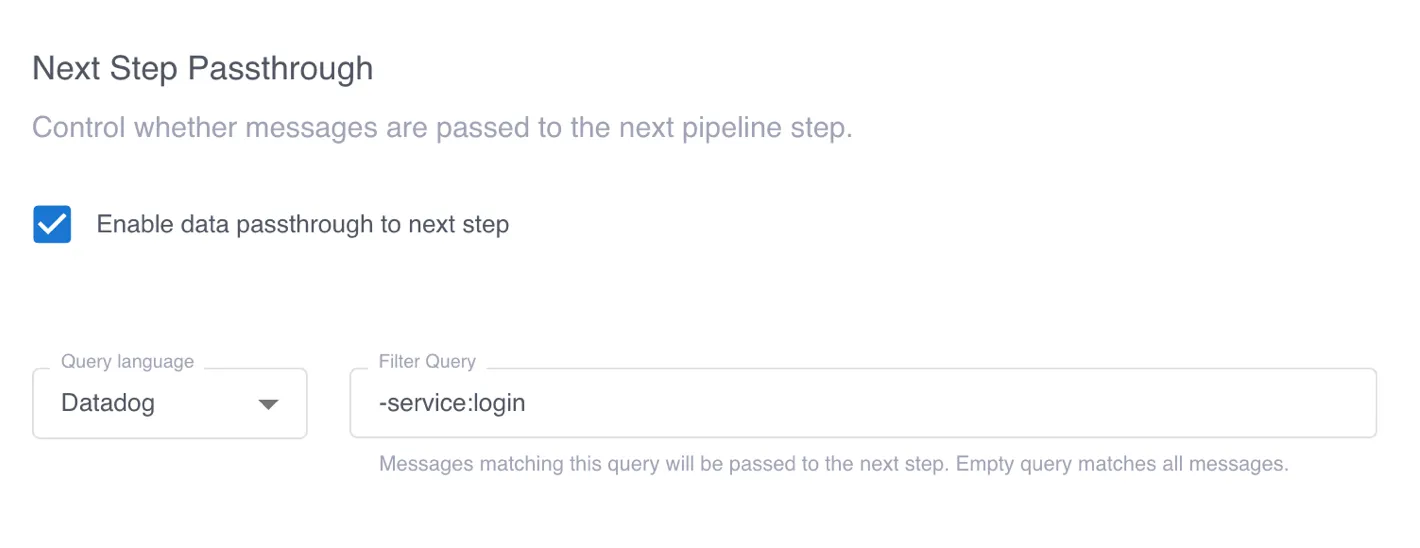
Only log events from the login service need redaction, so we can reduce the processing load by passing only those events to the SQL transform. All other events should be passed through to the next pipeline step.
To configure the flow of events based on the service, we select Enable data passthrough to next step and add the filter query -service:login. This filter query passes only events from the login service to the SQL transform. All other events are passed to the next step in the pipeline.
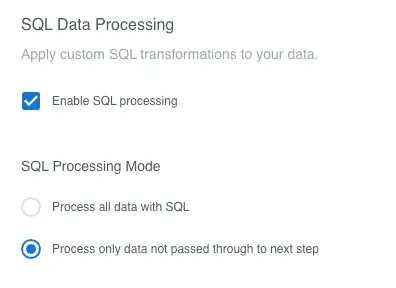
Then, selecting Enable SQL processing and Process only data not passed through to next step enables the SQL transform flow.
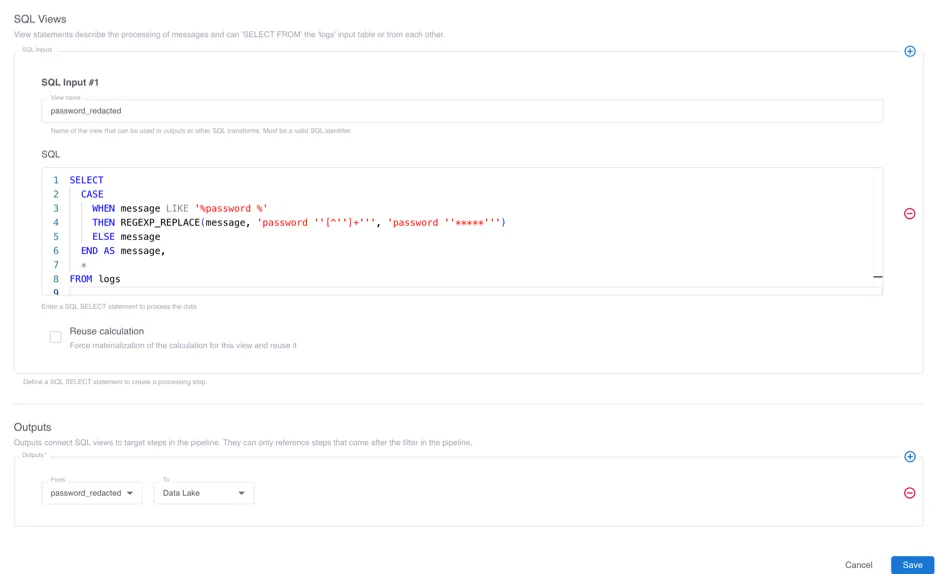
We then click the plus sign under SQL Views, enter a name for the view that will contain our processed events, and enter the following query in the SQL field. This query uses a CASE expression to do the following: if the log event contains the text password, a regular expression overwrites the password with a series of ‘*’s. Otherwise, the log event is unchanged.
SELECT
CASE
WHEN message LIKE '%password %'
THEN REGEXP_REPLACE(message, 'password ''[^'']+''', 'password ''*****''')
ELSE message
END AS message,
*
FROM logs
This query ensures that the plain-text passwords are masked before saving to the data lake and forwarding to an observabiity platform:
2024-12-26 10:09:56 DEBUG - Successful login for user 'julia' password '*****' from IP 10.0.2.15
Clicking the plus sign in the Outputs section, entering the name of the view containing processed events, and selecting Data Lake configures the SQL transform to pass the events to the next step in the pipeline.
When we look at the log messages from the login service forwarded to Datadog, we can see that the PII is removed while the other messages are forwarded unchanged.

To learn more, see Transform events with the SQL operation in the Grepr documentation.